Manage Flag Football Teams From the Same Place You Run the League
Add teams, upload logos, assign colors, update team information, and keep each team connected to the schedule, scores, standings, and league page instead of maintaining separate documents.
No registration fees. Get 50% off your first season.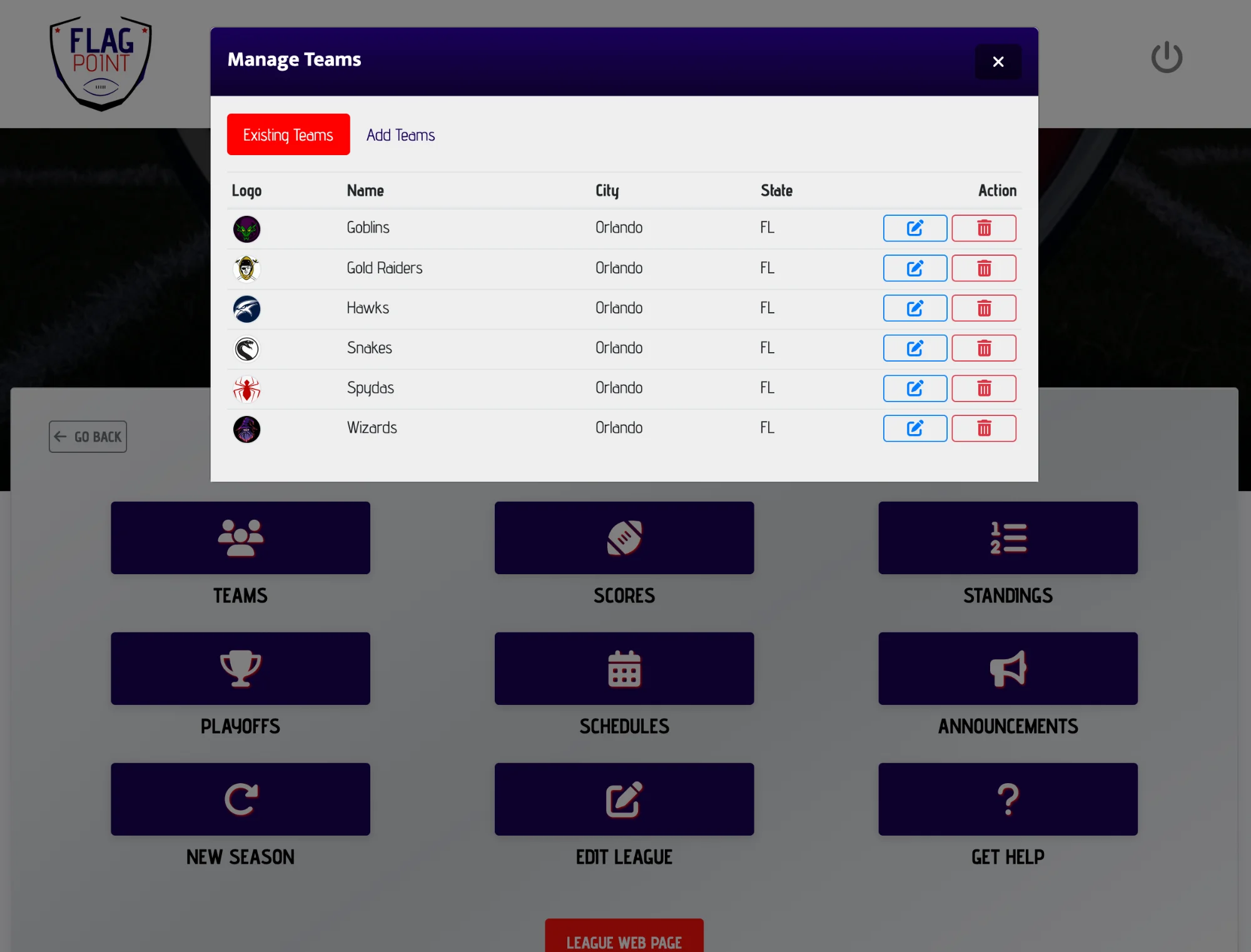
What does flag football team management software do?
Flag football team management software gives an organizer one place to maintain the teams participating in a league. In FlagPoint, teams can be added to the league, updated with names, locations, logos, and colors, then used throughout scheduling, score entry, standings, and public league information.
What This Feature Helps You Do
Keep the work connected to the rest of the season instead of creating another standalone file or tool to maintain.
From Setup to Game Day
LeagueAssist keeps the next action clear while the feature stays connected to the league you are already managing.
Create your league
Start with the league itself so team records have one place to live.
Add the participating teams
Enter the team name, city, state, color, and optional logo for each team.
Use those teams all season
Select them for schedules, enter their scores, and keep their results connected to standings and playoffs.
Stop Rebuilding Team Lists Every Time Something Changes
A league changes throughout the season. A logo gets added, a team name changes, or an organizer needs to correct a location. Those updates should not require a new spreadsheet, a new standings document, and a new schedule file.
FlagPoint keeps team records inside the league system so the organizer can make updates in one place and continue using those teams across the core League Manager workflow.
This feature works alongside team management, scheduling, scores, standings, playoffs, and your public league page so the season stays in one connected workflow.
Team Management FAQs
Common questions league organizers ask when planning and managing a flag football season.
How do I organize teams in a flag football league?
Create one team record for each participating team and keep the identifying information consistent throughout the season. At minimum, organizers usually need a team name plus the league or division the team belongs to. FlagPoint can also store a logo, color, city, and state for clearer league management.
Do flag football teams need a logo?
No. A logo is optional in FlagPoint. If a team does not have one, a team color can still help make schedules and management screens easier to scan.
Can I edit a team after I add it?
Yes. League Manager allows organizers to update team information such as the team name, city, state, logo, and color.
How many players should be on a flag football team?
Roster size depends on the game format and the league’s own rules. A 5v5 league and a 7v7 league may use different roster limits. League Manager’s team tool focuses on organizing the teams in the league, while the league’s roster rules remain up to the organizer.
Can teams be used when generating a schedule?
Yes. The schedule generator loads the teams connected to the selected league so the organizer can choose which teams should be included in the season schedule.
Why keep team management and standings in the same system?
It reduces duplicate work. The teams used in the schedule are the same teams referenced during score entry and standings, which helps keep league information consistent.
Related League Manager Features
Run More of Your Flag Football League From One Place
Start with the league you have today, then use LeagueAssist to move from setup to teams, schedules, scores, standings, playoffs, and game day.
Start Your League Today